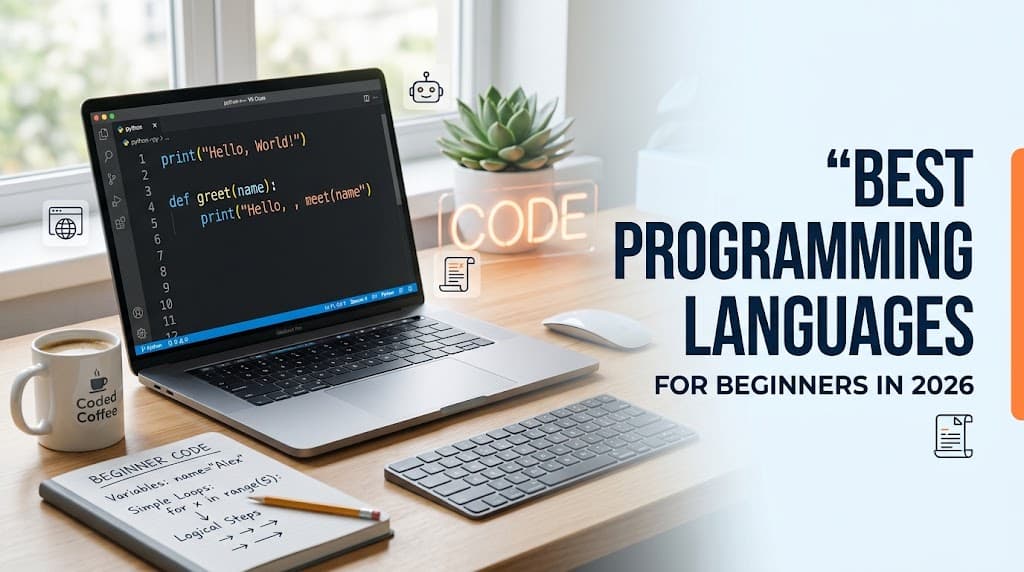
7 Best Programming Languages for Beginners in 2026
Choosing the best programming languages for beginners in 2026 can feel overwhelming, especially when you are starting your coding journey. With options such as Python, JavaScript, Java, C++, and TypeScript, it can be difficult to decide which language to learn first. The good news is that you do not need to master every language. By choosing one that matches your goals and practicing consistently, you can develop useful programming skills and start building real projects.
Programming is useful for creating websites, mobile applications, games, automation tools, and software that solves everyday problems. It can also help you develop logical thinking, creativity, and problem-solving skills.
However, the right first language depends on what you want to accomplish. Someone interested in artificial intelligence may prefer Python, while someone who wants to build websites may benefit more from JavaScript.
In this guide, we will explore seven beginner-friendly coding languages and technologies, compare their uses, identify free learning resources, and provide a practical 30-day plan to help you get started.
Quick Comparison of the Best Programming Languages for Beginners
Before choosing a language, consider your interests and long-term goals.
| Language | Best For | Learning Difficulty | |---|---|---| | Python | Automation, AI, and data analysis | Beginner-friendly | | JavaScript | Interactive websites and web applications | Beginner-friendly with practice | | HTML and CSS | Website structure and design | Easiest starting point for web development | | Java | Backend software and Android-related development | Moderate | | C# | Game development and business applications | Moderate | | C++ | Systems programming and performance-intensive software | More challenging | | TypeScript | Large and maintainable web applications | Easier after JavaScript |
HTML and CSS are not general-purpose programming languages like Python or JavaScript. HTML is a markup language, and CSS is a stylesheet language. However, both are essential technologies for anyone planning to develop websites.
1. Python: One of the Best Programming Languages for Beginners
Python is a popular choice for people learning programming for the first time. Its readable syntax makes it easier to understand basic programming concepts without dealing with excessive punctuation or complicated structures.
For example, you can display a message with one line of Python:
print("Hello, World!")
This simple program demonstrates how quickly you can begin writing code.
What Can You Build With Python?
Python is a versatile language used for many different purposes, including:
- Automation scripts and productivity tools
- Data analysis and visualization
- Artificial intelligence and machine learning
- Backend web applications
- Educational projects and simple games
For example, you could create a calculator, automate repetitive file-management tasks, or build a personal expense tracker.
Why Should Beginners Learn Python?
Python has a large learning community, extensive documentation, and numerous libraries that simplify common tasks. It is especially useful if you are interested in automation, data analysis, or eventually exploring AI development.
Nevertheless, advanced AI projects require more than Python syntax. You may also need mathematics, statistics, data-handling skills, and knowledge of specialized libraries.
Best for: Students, first-time programmers, automation enthusiasts, and aspiring data or AI developers.
Free learning resource: Official Python Tutorial
2. JavaScript: Best for Web Development
JavaScript is one of the most useful programming languages for beginners who want to create interactive websites.
While HTML defines the structure of a web page and CSS controls its appearance, JavaScript adds behavior. It can make buttons respond to clicks, validate forms, update content, and power interactive interfaces.
Here is a simple JavaScript example:
const message = "Hello, World!";
console.log(message);
This program stores a message in a variable and displays it in the console.
What Can You Build With JavaScript?
JavaScript can be used to develop:
- Interactive websites
- Web applications and dashboards
- Browser-based games
- Backend services using Node.js
- Mobile applications using frameworks such as React Native
One major advantage is that JavaScript can run in web browsers and on servers through compatible runtimes. This allows developers to use the same core language across different parts of an application.
What Should You Learn First?
Start with HTML and CSS, then study JavaScript fundamentals such as variables, functions, conditions, loops, arrays, and objects.
After understanding these concepts, you can explore asynchronous programming, APIs, and frameworks such as React.
Best for: Aspiring frontend developers, full-stack developers, and people who want to create interactive web applications.
Free learning resource: MDN JavaScript Guide
3. HTML and CSS: Best for Beginners Who Want to Build Websites
If you want to create websites but have never written code before, HTML and CSS provide an excellent starting point.
HTML describes the content and structure of a web page. CSS controls the visual presentation, including colors, typography, spacing, and responsive layouts.
For example, HTML can define a heading and paragraph:
<h1>My First Website</h1>
<p>Welcome to my website!</p>
You can then use CSS to style the heading, change the background, and adjust the layout for mobile devices.
What Can You Create With HTML and CSS?
- Personal portfolio websites
- Blog layouts
- Landing pages
- Small business websites
- Responsive website interfaces
These technologies allow you to see the results of your work immediately in a browser, which can make the learning process more enjoyable.
Should You Learn HTML and CSS Before JavaScript?
If your goal is web development, learning HTML and CSS first is a practical approach. Once you understand how pages are structured and styled, JavaScript becomes easier to apply.
However, HTML and CSS alone are not sufficient for building every kind of interactive web application. Learning JavaScript afterward will expand what you can create.
Best for: Beginners interested in web design, blogging websites, portfolio projects, and frontend development.
Free learning resource: MDN Learn Web Development
4. Java: Best for Structured Software Development
Java is a general-purpose programming language widely used in enterprise software, backend services, and many established software systems.
It uses a structured approach to programming and supports object-oriented development. Although Java can feel more verbose than Python, learning it can help you understand how larger applications are organized.
What Can You Build With Java?
- Backend applications
- Inventory management systems
- Business software
- Desktop applications
- Android applications using suitable development tools
A beginner might start with a calculator or student-record management program before moving to more complex projects.
Why Learn Java?
Java introduces concepts such as classes, objects, data types, and methods. These concepts are important in many software development environments.
The main challenge for beginners is that Java often requires more setup and code for simple tasks than Python. With consistent practice, however, its structure can become easier to understand.
Best for: Students interested in software engineering, backend development, and enterprise applications.
Free learning resource: Dev.java Learn
5. C#: Best for Game Development and Business Applications
C# is a general-purpose programming language commonly used with Microsoft's .NET ecosystem. It supports web development, desktop applications, backend services, and game development.
C# is especially worth exploring if you want to create games using the Unity engine.
What Can You Build With C#?
- Games using Unity
- Desktop applications
- Backend web services
- Business software
- Small productivity tools
You could begin with a number-guessing game or calculator, then progress to a graphical application or a simple game.
Is C# Beginner-Friendly?
C# includes concepts such as data types, classes, and object-oriented programming. These ideas take practice, but the language's structured syntax can help you develop good coding habits.
If game development is your goal, you will also need to learn game logic, asset management, basic mathematics, and the tools used by your chosen game engine.
Best for: Aspiring game developers, desktop application developers, and people interested in .NET.
Free learning resource: Microsoft Learn: C#
6. C++: Best for Systems Programming and Performance
C++ is a powerful programming language used in systems software, game engines, graphics applications, simulations, and other performance-sensitive projects.
It offers considerable control over how programs use computer resources. However, it can be more challenging than Python because it introduces additional concepts involving compilation, memory, and program structure.
What Can You Build With C++?
- Console-based games
- Graphics and simulation software
- Systems-level tools
- Performance-intensive applications
- Components used in game engines
Beginners can start with simple projects such as a calculator or number-guessing game before exploring more advanced concepts.
Should Beginners Start With C++?
You can learn C++ as your first language, particularly if you are studying computer science or are interested in systems programming.
However, if your immediate goal is to build websites or automate everyday tasks, JavaScript or Python may provide a more straightforward starting point.
Best for: Computer science students, systems programmers, and developers interested in performance-intensive applications.
Free learning resource: LearnCpp.com
7. TypeScript: Best for Modern Web Applications
TypeScript extends JavaScript by adding a static type system. It helps developers catch certain errors earlier and makes larger codebases easier to maintain.
For example, TypeScript allows you to specify the kinds of values a function accepts and returns. This can make code easier to understand, particularly when multiple developers work on the same project.
What Can You Build With TypeScript?
- Large web applications
- React-based user interfaces
- Backend services
- SaaS dashboards
- Full-stack applications using compatible frameworks
TypeScript is especially useful when an application grows and becomes more complex.
Should Beginners Learn TypeScript First?
Most beginners should understand JavaScript fundamentals before moving to TypeScript.
Learn variables, functions, arrays, objects, conditions, and asynchronous programming first. Once those concepts are familiar, TypeScript's type system will be easier to understand.
Best for: Web developers who want to create maintainable applications and progress toward professional frontend or full-stack development.
Free learning resource: Official TypeScript Handbook
How to Choose the Best Programming Language for Beginners
The best language is not necessarily the most popular one. It is the language that helps you work toward your goals.
Use these recommendations as a starting point:
- Want to learn general programming? Start with Python.
- Want to build websites? Learn HTML, CSS, and JavaScript.
- Want to become a full-stack developer? Start with JavaScript and add TypeScript later.
- Interested in AI or data analysis? Explore Python.
- Want to build games with Unity? Consider C#.
- Interested in systems programming? Explore C++.
- Want to develop enterprise backend software? Consider Java or C#.
Before choosing, look at a few beginner projects in your area of interest. If the projects excite you, you will probably find it easier to remain motivated while learning.
A Simple 30-Day Plan to Learn Programming
You do not need to master a language in 30 days. Your first month should focus on understanding the fundamentals and completing a small project.
Week 1: Learn the Basics
Choose one language and study variables, data types, operators, and input and output.
Write small programs every day. Change the examples you learn so you understand how different instructions affect the result.
Week 2: Practice Programming Logic
Learn conditions, loops, functions, and basic error handling.
Build simple programs such as a calculator, temperature converter, or number-guessing game.
Week 3: Create a Small Project
Choose a project that solves a simple problem or matches your interests.
Examples include a to-do list, quiz application, personal expense tracker, or basic website.
Try writing the code yourself instead of copying a complete tutorial. When you get stuck, use documentation or ask for explanations.
Week 4: Improve and Share Your Work
Fix bugs, improve the interface, and add one or two useful features.
If appropriate, publish your website or upload your project to a code repository. Write a short description explaining what the project does and what you learned.
By the end of the month, aim to understand the basics and finish a small project. You can then continue learning through increasingly challenging projects.
Best Free Websites to Learn Programming in 2026
You do not need an expensive course to begin learning programming. Several established websites offer free lessons, documentation, and practical exercises.
1. freeCodeCamp
freeCodeCamp provides structured lessons and project-based exercises covering web development and other programming topics.
It is