Best Free AI Image Generators in 2026: 8 Tools Worth Trying
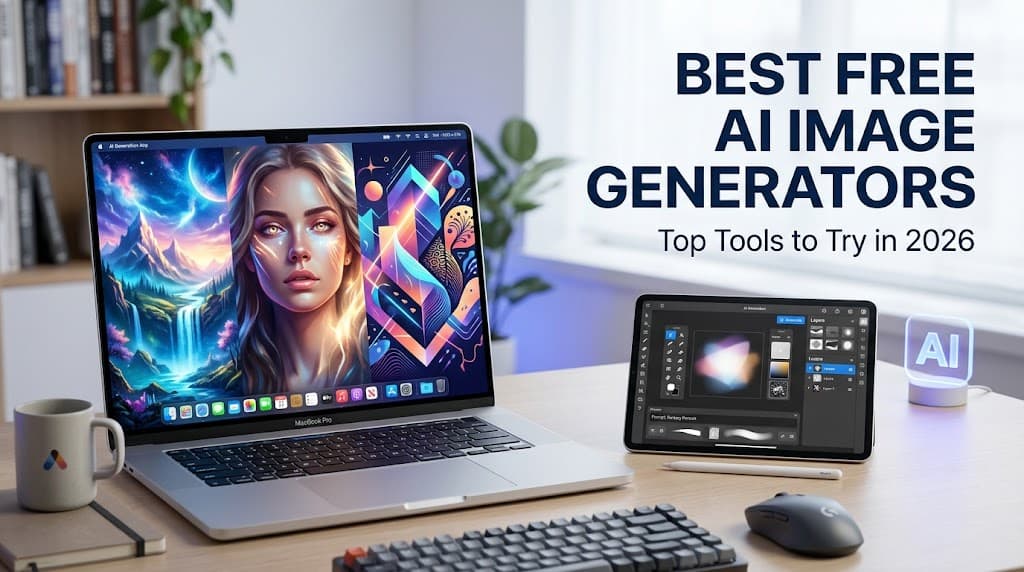
Artificial intelligence has made image creation easier than ever. In 2026, you do not need expensive design software or professional graphic design skills to create attractive visuals. With the right AI image generator, you can turn a simple text description into an illustration, realistic photograph, social media graphic, or website image.
Whether you are a blogger, student, content creator, marketer, or small business owner, free AI image generators can help you create visual content without hiring a designer for every project.
However, not every tool offers the same experience. Some are better for realistic images, others specialize in text-based designs, and some provide advanced editing features. Free plans may also include usage limits, queues, or restrictions on commercial use.
In this guide, we will explore eight of the best free AI image generators in 2026, explain their main features, and help you choose the right tool for your needs.
Quick Comparison: Best Free AI Image Generators
| AI Tool | Best For | Free Access | |---|---|---| | ChatGPT | Beginners and conversational editing | Limited image generation | | Google Gemini | General-purpose image creation | Availability and limits may vary | | Microsoft Designer | Everyday graphics and creative designs | Free access with possible limits | | Adobe Firefly | Creative image generation and editing | Limited free generations | | Leonardo AI | Artistic images and detailed visuals | Free allowance with limits | | Ideogram | Images containing text | Limited free access | | Canva | Blog graphics and social media designs | Free tools with feature restrictions | | Stable Diffusion | Advanced customization and local generation | Model and setup dependent |
Note: Free plans, generation limits, and available models can change. Check each provider's current terms before relying on a specific allowance.
1. ChatGPT — Best for Beginners
ChatGPT is a convenient starting point for anyone who wants to create images without learning complicated design software. Instead of adjusting dozens of technical settings, you can describe what you want in ordinary language and refine the result through follow-up instructions.
For example, you could request a realistic photograph of a modern home office, a colorful illustration for a children's story, or a featured image for a blog post. You can also ask for changes to the composition, lighting, colors, and visual style.
Key Features
- Generate images from written descriptions.
- Refine results using conversational instructions.
- Explore different visual styles and compositions.
- Create concepts for blogs, presentations, and social media.
Pros
ChatGPT is easy to use, especially for people who have never worked with AI image tools. Its conversational approach also makes it easier to improve an image without rewriting an entire prompt.
Cons
Free image generation has usage limits, and access to particular features may vary. It may not be the best option for users who need a large number of images every day.
Best for: Beginners, bloggers, students, and content creators.
Website: https://chatgpt.com/
2. Google Gemini — Best for General-Purpose Image Creation
Google Gemini is another useful option for creating images through natural-language prompts. You can describe a scene, request a particular artistic style, or develop visual concepts for personal and professional projects.
For example, a travel blogger might request a colorful illustration of a tropical destination, while a small business owner might experiment with product concepts for an online store.
Gemini can also help users brainstorm ideas before generating an image, making it useful when the visual concept is not fully developed.
Key Features
- Create visuals from text prompts where image generation is available.
- Experiment with different styles and concepts.
- Refine image ideas through follow-up instructions.
- Combine brainstorming and visual creation in one workflow.
Pros
Gemini offers a familiar interface for people already using Google's AI services. It can be useful for quickly exploring multiple creative directions.
Cons
Available image-generation models, regional access, and free usage limits can vary. Users should verify current availability in their accounts.
Best for: Everyday image creation, creative brainstorming, and general-purpose visuals.
Website: https://gemini.google.com/
3. Microsoft Designer — Best for Everyday Creative Graphics
Microsoft Designer helps users create and customize visual content with AI-assisted features. It is particularly useful when you need more than an image, such as a social media graphic, invitation, poster, or simple promotional design.
You can begin with a description and use the available design features to develop a visual that suits your project.
For instance, a blogger could create a graphic concept for a new article, while a small business could experiment with promotional artwork for an upcoming sale.
Key Features
- AI-assisted visual creation.
- Design tools for promotional graphics.
- Templates and layout options.
- Visual content for social media and personal projects.
Pros
Designer is useful for people who want to create practical graphics rather than standalone AI artwork. Its design-oriented workflow can reduce the need to move between multiple applications.
Cons
Some features or usage allowances may require a particular account or subscription. It may also offer less specialized control than tools designed primarily for advanced AI art generation.
Best for: Social media graphics, invitations, simple advertisements, and everyday designs.
Website: https://designer.microsoft.com/
4. Adobe Firefly — Best for Creative Editing
Adobe Firefly is designed for generating and editing creative content using AI. It is especially relevant to people who want to experiment with visual concepts and then refine them as part of a broader design workflow.
You can describe a scene, generate visual ideas, and use supported editing tools to adjust or extend an image. Firefly also connects with Adobe's creative ecosystem, which can be useful if you already work with Adobe applications.
Key Features
- Generate images from text descriptions.
- Explore different visual styles.
- Use AI-assisted editing features where available.
- Integrate creative work with compatible Adobe tools.
Pros
Firefly is a strong choice for creators who value editing capabilities and a more structured design workflow. Adobe offers a free tier with limited generations, alongside paid plans. Its official plan details explain the current restrictions.
Cons
Free usage is limited, and some advanced features require a paid plan. Availability and the terms associated with different models can vary.
Best for: Designers, marketers, content creators, and people who want to refine AI-generated visuals.
Website: https://firefly.adobe.com/
5. Leonardo AI — Best for Artistic and Detailed Images
Leonardo AI is a creative platform for generating detailed artwork and experimenting with different visual styles. It can be useful for concept art, fantasy scenes, game assets, character concepts, and stylized illustrations.
Users can explore available models and visual settings to influence the appearance of generated images. Depending on the features available to their account, they can also use image-guidance and enhancement tools.
For example, a game developer might explore a fantasy environment, while a content creator might generate a cinematic landscape for a video thumbnail.
Key Features
- Generate detailed AI artwork.
- Explore multiple visual styles and models.
- Experiment with image-guidance tools.
- Develop concepts for creative projects.
Pros
Leonardo AI provides more creative controls than many basic image generators. It is worth exploring if you want to experiment with artistic direction instead of simply generating a one-off image.
Cons
Its interface may take some time to learn. Free usage is limited, and the number of available generations depends on the current plan and feature costs.
Best for: Digital artists, game creators, illustrators, and people exploring visual concepts.
Website: https://leonardo.ai/
6. Ideogram — Best for Images with Text
One of the biggest challenges in AI image generation is creating images that contain readable text. Ideogram is particularly known for text-oriented visual design, making it worth considering for posters, typography-based artwork, and promotional concepts.
Imagine creating a poster with a short headline or developing a concept for a social media campaign. Ideogram can help you explore the layout and appearance of text within the generated visual.
Key Features
- Generate typography-focused artwork.
- Create poster and promotional concepts.
- Experiment with different design styles.
- Explore visual compositions that combine text and imagery.
Pros
Ideogram is useful when the words inside an image are an important part of the design. It can save time when exploring concepts for posters, banners, and text-heavy graphics.
Cons
AI-generated text can still contain errors, especially in long sentences or complex layouts. Always inspect the output and correct any mistakes before publishing.
Best for: Posters, typography, promotional artwork, and text-based visual concepts.
Website: https://ideogram.ai/
7. Canva — Best for Blog Images and Social Media Designs
Canva is more than an AI image generator. It is a design platform where you can create featured images, presentations, posters, social media graphics, and other visual content.
Its AI features can help you develop image concepts, while the wider editor lets you add text, shapes, icons, and other design elements.
For bloggers, this combination is particularly helpful. You can generate or source a visual concept, place it inside a blog graphic, add a headline, and prepare a consistent design for different platforms.
Key Features
- AI-assisted image creation where available.
- Templates for blog and social media graphics.
- Text, typography, and layout editing.
- Tools for resizing and adapting designs.
Pros
Canva is a practical option if you need finished graphics rather than just raw images. Its templates can help beginners create consistent visual content without advanced design skills.
Cons
Some AI tools, premium assets, and advanced features may be restricted to paid plans. The free allowance depends on the feature you use.
Best for: Bloggers, social media managers, students, and small business owners.
Website: https://www.canva.com/
8. Stable Diffusion — Best for Customization
Stable Diffusion is a family of image-generation models used in a variety of creative workflows. Depending on the model, interface, and setup, it can provide extensive control over image generation.
Unlike a simple browser-based generator, running a compatible model locally can give users more control over their workflow and help avoid per-image service charges. However, local generation requires suitable computer hardware and some technical setup.
You can also access image-generation services built around Stable Diffusion, but those services may impose their own limits or charges.
Key Features
- Generate images from text prompts.
- Customize image-generation workflows.
- Explore community-created models and tools.
- Run compatible models locally on suitable hardware.
Pros
Stable Diffusion can be appealing to users who want deeper customization and greater control over their creative process. Local generation can be useful for high-volume projects if your computer can handle it.
Cons
Installation and configuration can be more difficult than using a browser-based tool. Hardware requirements, model licenses, and commercial-use terms vary.
Best for: Advanced users, developers, digital artists, and people who want customized workflows.
Website: https://stability.ai/
How to Choose the Best Free AI Image Generator
The right tool depends on what you want to create. There is no single generator that is best for every situation.
Here are some practical recommendations:
- For beginners: Start with ChatGPT or Google Gemini if image generation is available on your account.
- For blog featured images: Try ChatGPT, Gemini, or Canva, depending on whether you need a standalone image or a finished graphic.
- For promotional designs: Explore Microsoft Designer or Canva.
- For detailed artwork: Try Leonardo AI.
- For images containing text: Experiment with Ideogram, then proofread the result.
- For creative editing: Explore Adobe Firefly.
- For advanced customization: Investigate Stable Diffusion.
Before choosing a tool for regular work, test it with the same prompt and compare the results. Look at image quality, prompt accuracy, editing options, output resolution, and the amount of free usage available.
How to Write Better AI Image Prompts
A good prompt gives the AI a clear idea of the subject, environment, composition, and visual style. You do not need to use complicated language, but specific instructions generally make it easier to get a useful result.
Consider this example.
Basic prompt:
A person working on a laptop.
Improved prompt:
Create a photorealistic editorial image of a young professional working on a laptop at a bright, modern desk. Include a notebook, a coffee mug, and a small green plant. Use natural morning light, a clean neutral background, realistic details, and a balanced landscape composition. Leave some empty space on the right for a headline.
The second prompt provides much more information about the intended image.
Five Tips for Better Results
- Describe the main subject. Explain what should appear in the image.
- Specify the style. For example, choose photorealistic photography, watercolor, 3D illustration, or minimalist design.
- Explain the composition. Tell the tool where the subject should appear and whether space is needed for text.
- Mention lighting and colors. These details can help establish the desired mood.
- Review and refine. If the first image is not right, request specific changes rather than starting over with a completely different prompt.
For text-heavy graphics, consider generating the background image first and adding the final wording in a design editor. This makes it easier to proofread and maintain consistent typography.
Can You Use AI-Generated Images for Commercial Projects?
Sometimes, yes, but you should not assume that every AI-generated image is automatically free for commercial use.
Before using an image in a monetized blog, advertisement, product listing, or client project, review the provider's current terms. Pay attention to commercial-use permissions, restrictions on generated content, and any special rules associated with the model you selected.
You should also avoid generating visuals that improperly use another person's protected artwork, trademarks, or recognizable identity.
For blog publishers, another important consideration is quality. AI-generated visuals should support the article rather than replace useful information. Select images that genuinely help readers understand the topic, and review them for inaccurate details or misleading representations.
Are Free AI Image Generators Good Enough for Blogging?
For many ordinary blogging needs, yes. Free image generators can help create illustrations, conceptual visuals, and featured images without requiring a large design budget.
However, the best result often comes from combining AI generation with basic editing. You may need to crop an image, adjust its dimensions, add a headline, or compress the file before publishing it.
Keep these practical considerations in mind:
- Choose an image that matches the article's topic.
- Use a suitable landscape format for featured images.
- Compress images to help pages load quickly.
- Write descriptive alternative text for accessibility.
- Check for visual errors before publishing.
- Keep commercial-use permissions in mind.
Google AdSense approval and search performance are not guaranteed by using AI-generated images. A useful website still needs original, helpful content, good navigation, a positive reader experience, and compliance with applicable policies.
Frequently Asked Questions
1. What is the best free AI image generator in 2026?
The best option depends on your needs. ChatGPT and Google Gemini are worth exploring for general-purpose image creation, Canva is useful for finished graphics, Ideogram is a good option for text-focused designs, and Leonardo AI is suited to artistic experimentation.
2. Can I generate AI images for free without a subscription?
Yes. Several platforms offer free access, but the number of generations and available features may be limited. Some services require an account, and free allowances can change.
3. Which AI image generator is best for blog featured images?
ChatGPT, Google Gemini, and Canva are practical starting points. If you need a clean featured image without text, use an image generator. If you want a graphic with a headline or branded layout, a design editor such as Canva may be more convenient.
4. Can I monetize a blog that uses AI-generated images?
AI-generated images can be used on a monetized blog when their use complies with the relevant provider's terms and applicable laws. However, using AI images alone does not guarantee Google AdSense approval or search traffic. Your website should provide useful content and a good experience for readers.
5. Are AI-generated images copyrighted?
The answer depends on the country, the circumstances of creation, and applicable laws. AI-generated images may receive different levels of legal protection in different jurisdictions. Provider terms and usage permissions are separate considerations, so review both before commercial publication.
6. How can I create realistic AI images?
Write a detailed prompt that specifies the subject, environment, lighting, camera perspective, and intended style. Generate several variations if needed, then refine the most promising result. Always inspect the final image for unnatural details.
7. Do free AI image generators add watermarks?
It depends on the platform, model, and plan. Some tools may offer clean downloads, while others restrict certain export options. Check the current download terms before choosing a service for professional work.
Conclusion
Free AI image generators have become valuable tools for bloggers, students, designers, and content creators in 2026. They make it easier to experiment with visual ideas, create illustrations, and prepare graphics without needing advanced design skills.
ChatGPT and Google Gemini are convenient starting points for general-purpose creation. Canva and Microsoft Designer are useful for practical graphics, Adobe Firefly supports creative editing, Leonardo AI offers artistic controls, Ideogram is worth exploring for typography, and Stable Diffusion provides a more customizable workflow.
The smartest approach is to choose a tool based on your actual project, test its free features, and check the terms before using generated images commercially. Combine good prompts with thoughtful editing, and focus on creating visuals that genuinely improve the reader's experience.
You do not need an expensive subscription to start experimenting. Choose one tool, write a clear prompt, and begin creating images for your next project.